
The practical answer
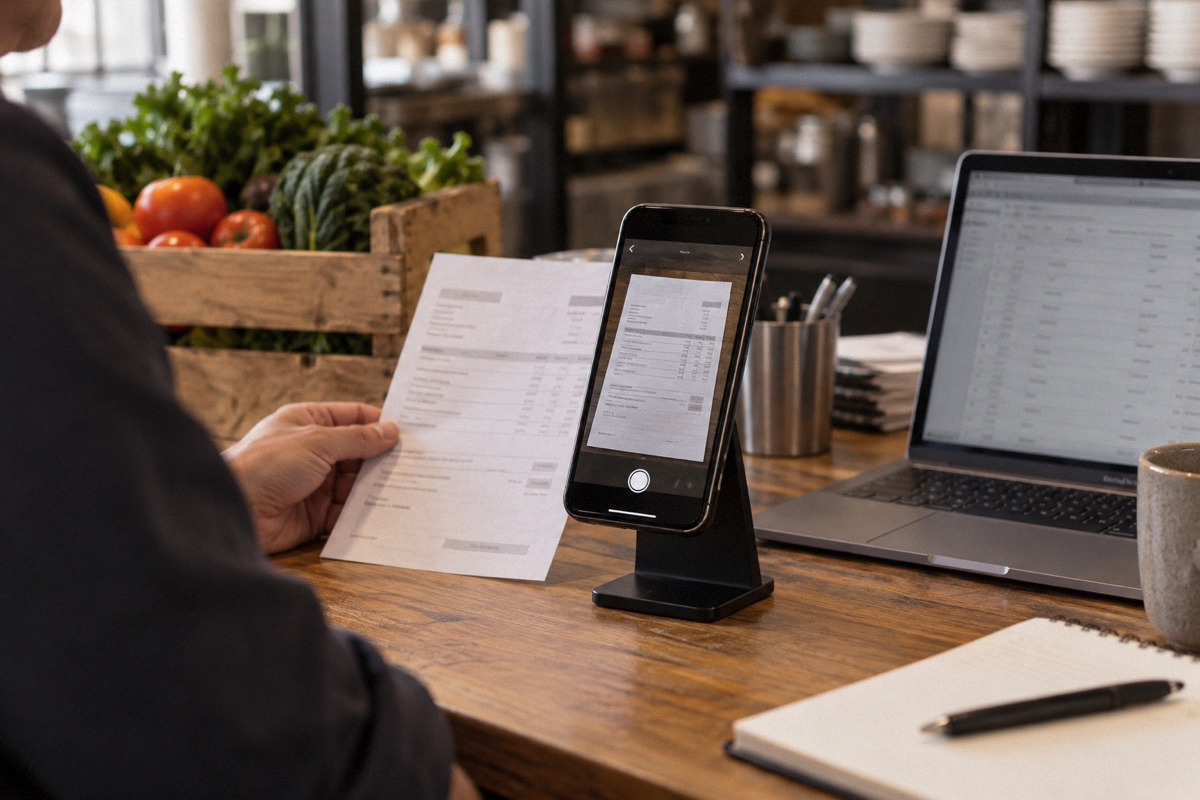
Invoice-scanning tools turn supplier invoices into data that can update ingredient prices, recipe costs and accounting entries. The automation works only if each invoice line is mapped to the right ingredient and the right unit conversion, and each category is mapped to the right accounting account. Most setup failures come from a case mapped as a single pound, paper goods coded as food, credits never entered, or invoices booked twice in accounting. Clean up your vendor item list, test conversions on your top-cost items, run the accounting export in parallel for a month as a shadow report, test company or sandbox reconciled against your existing books (never a second live posting, so each invoice has only one production bill or expense entry), and assign someone to maintain it every week.
What these tools automate, and what they don't
Tools in this category, including products such as xtraCHEF and MarginEdge, generally capture invoices from photos, uploads or supplier feeds and extract line items and prices. They match those lines to your ingredient list and can push totals to accounting software. Once that's set up, a recipe built from those ingredients can reprice when an invoice shows a new price. In a r/restaurantowners thread on itemizing menu costs, one commenter recommended xtraCHEF or MarginEdge for keeping prices current week to week by recording each invoice. They also noted that setup takes a while. Others in the same directly inspected thread described distributor-provided costing tools and plain spreadsheets that do a similar job.
This article doesn't review or compare vendors, and it makes no claims about any product's current features or price. Confirm those with the vendor in writing. What's consistent across this category is what the software can't do for you. It can't know that your "each" means a 5 lb bag. It can't decide which accounting account paper goods belong in. It can't record a credit memo nobody uploaded. And it can't tell you a recipe card is wrong.
Decide what problem you are buying it to solve
Write down the one or two decisions you want the tool to improve before you start setup. Common answers are knowing true plate cost on the top 15 sellers within a week of a price change, getting supplier invoices into the books without manual data entry, and catching price changes per item across suppliers. Each goal leads to a different setup priority. If plate cost is the goal, ingredient mapping and recipes come first. If bookkeeping is the goal, accounting category mapping and the export come first. Trying to finish everything in week one is how projects stall halfway, with half-mapped items producing numbers nobody trusts.
Item mapping and units: where most errors start
Every invoice line has a pack description, such as "4/5 LB," "6/#10," or "1/40 LB AVG," and a price per invoiced unit. The tool has to translate that into the unit your recipe uses. If the translation is wrong, every recipe that uses the item is wrong, automatically and silently, on every future invoice. That's worse than a spreadsheet, because nobody is looking at it.
Map your highest-cost items first and check them by hand. Catch-weight items such as proteins billed per pound need particular care, because the invoiced quantity is a weight, not a case count. When a supplier changes pack size or substitutes a different item number, the tool may create a new unmapped item or, worse, map it with the old conversion.
| Pack description | Common mapping error | Correct approach | How to test |
|---|---|---|---|
| 4/5 LB (four 5 lb bags per case) | Treated as one 5 lb unit, or as 4 lb | Case = 20 lb = 320 oz | Case price ÷ 320 should match a hand calculation per ounce |
| 6/#10 cans | Each can treated as the case | Case = 6 cans; set yield per can in recipe units | Price per can × 6 equals the case price |
| Catch weight, billed per lb | Mapped per case, so price per lb looks like price per case | Map the invoiced unit as lb | Line price ÷ invoiced lb gives price per lb |
| Produce by count, e.g. 24 ct | Recipe uses weight, but no count-to-weight yield is set | Record average usable weight per piece after trim | Weigh a sample after trim and record the yield |
| Substituted item number | Auto-created as a new item, so recipes still use the old price | Link it to the same ingredient with its own conversion | Review the unmapped-items queue weekly |
Worked example: one bad conversion, one wrong pizza cost (hypothetical)
The numbers here are invented for illustration. A pizzeria buys shredded mozzarella packed 4/5 lb at a hypothetical $62.00 per case. Each pizza uses 3 oz. Mapped correctly, the case is 20 lb, or 320 oz, so cheese costs $62.00 ÷ 320 = about $0.194 per ounce, and 3 oz costs about $0.58.
Now suppose the mapping treats the case as a single 5 lb bag. The tool calculates $62.00 ÷ 80 oz = $0.775 per ounce, so 3 oz costs about $2.33. The cheese cost on the pizza is now overstated by about $1.74, and every report built on it shows the pizza as a poor performer. An owner who trusts the dashboard might raise the price or cut the item based on an error. The reverse mistake, mapping a single bag as a full case, makes an expensive item look cheap and hides a real margin problem.
The defense is a short manual test. For your top 20 ingredients by spend, calculate the cost per recipe unit by hand from one real invoice and compare it with the tool's number. Fix every mismatch before you build or trust recipe costs.
Accounting export: categories, duplicates and credits
Exporting to accounting is the second common failure point. A short r/restaurantowners post titled "Toast XtraChef Issues" describes problems getting invoice data into QuickBooks. The recorded text is only a search excerpt from a low-engagement post, so it shows that the problem happens, not why or how often. The risks below are general bookkeeping issues, not claims about that product.
First, category mapping. Each invoice line or item needs an accounting category. If paper goods, cleaning supplies or smallwares are coded as food, food cost looks worse than it is. In a hypothetical month with $60,000 in food sales and $18,000 in true food purchases, food cost is 30 percent before inventory adjustments. If $1,400 of paper goods is miscoded as food, food purchases show as $19,400, and food cost appears as about 32.3 percent. That's a phantom problem caused by coding. Second, duplicates. If invoices sync into accounting as bills and your bookkeeper also enters the same supplier payments from the bank feed as expenses, the cost is recorded twice. Agree in writing who creates the bill and who only matches the payment. Third, credits. A credit memo that's never captured leaves the full invoice cost on the books and overstates what you owe the supplier. Make credit memo capture part of the same weekly routine as invoice capture.
Run the export in parallel with your existing bookkeeping for at least one full month, and have your bookkeeper or accountant compare totals by supplier and category before you switch over. Parallel here means a shadow run, not a second live posting: send the tool's export to a test company or sandbox file, or pull it as a report, and reconcile it against the books you already keep. Each invoice should have only one bill or expense entry in your production accounting file. Turn on the live sync only after the totals match and the old entry method is switched off for those invoices.
Ongoing maintenance: the weekly owner
These tools aren't set-and-forget. Suppliers add item numbers, change packs and substitute products. Recipes change. Someone has to clear the unmapped-items queue, review any price change above a threshold you choose, confirm credits were captured, and update recipes when the kitchen changes a component. Assign one named person and protect a fixed time each week for it. If nobody owns the queue, unmapped items pile up, recipe costs freeze at old prices, and the tool quietly turns into an expensive invoice archive.
- Weekly: clear unmapped items, confirm credits, and review price changes above your threshold.
- Monthly: recheck conversions on the top 20 items by spend and compare the accounting export with supplier statements.
- When the menu changes: rebuild or retire affected recipes before the change goes live.
- When you change suppliers: map the new item numbers before the first delivery.
When a spreadsheet is enough
A small menu with one or two main suppliers may not need dedicated software. Commenters in the menu-costing thread above described a master item sheet with package and unit costs that feeds recipe sheets, and another suggested taking the order guide and building one page per dish. One commenter added a warning: when a formula breaks, finding the problem is painful. Distributor-provided costing tools were also mentioned as a free starting point. They may only price items you buy from that distributor unless you enter the others manually.
A reasonable test is whether the time spent keeping a spreadsheet current, plus the cost of the decisions you get wrong because it's out of date, is more than the subscription and the weekly maintenance time a tool would need. If you can't name a decision the tool would change, start with a spreadsheet for your top sellers and revisit later.
Implementation checklist and failure modes
Projects that fail usually skip the same steps: they import every item at once, trust automated conversions without testing, connect accounting on day one with no parallel run, and leave maintenance to whoever has time. Use the list below as a gate. Don't move to the next stage until the current one is checked.
- Write the one or two decisions the tool must improve, and who will act on them.
- Clean your vendor list: merge duplicate suppliers and retire inactive item numbers.
- Map and hand-test conversions on the top 20 ingredients by spend.
- Build recipes for the top 15 sellers and compare them with existing recipe cards.
- Agree accounting category mapping with your bookkeeper, including paper, chemicals and smallwares.
- Decide who creates bills and who matches payments, to prevent duplicate entries.
- Run the accounting export in parallel for at least one month as a shadow report, test company or sandbox (no second live posting; one production bill or expense entry per invoice) and reconcile it with statements.
- Include credit memos in the weekly capture routine.
- Assign a weekly maintenance owner and a fixed time slot.
Questions that come up next
Why did my recipe costs jump after I connected invoice scanning?
Check the unit conversion on the items behind the jump. The most common cause is a case mapped as a single unit or bag, which multiplies the cost per ounce. Recalculate the cost per recipe unit by hand from a real invoice, fix the mapping, and review any items the supplier recently substituted or repacked.
Should invoices sync to my accounting software as bills automatically?
Only after a parallel shadow run (a report, test company or sandbox, not a second live posting) proves the totals match your supplier statements, and after you and your bookkeeper agree who creates each bill. Otherwise the same purchase can be recorded twice, once from the sync and once from the bank feed. Category mapping and credit memo capture also need to be confirmed first.
Sources & context
Forum accounts are unverified experiences. Read government sources for their stated jurisdiction and check requirements with the responsible authority for your location.
- r/restaurantowners: Tips for itemizing costs of each menu itemreddit · Directly inspected thread capture. One commenter recommends xtraCHEF or MarginEdge for weekly price updates from invoices and notes setup takes time; others describe distributor costing tools and spreadsheet master item sheets. User opinions, not product reviews or verified feature claims.
- r/restaurantowners: Toast XtraChef Issuesreddit · Search-excerpt only, low engagement. Indicates problems moving invoice data into QuickBooks without detail on cause. Used only to show that export problems occur; the duplicate, category and credit risks in this article are general bookkeeping issues, not findings about this product.


