The practical answer
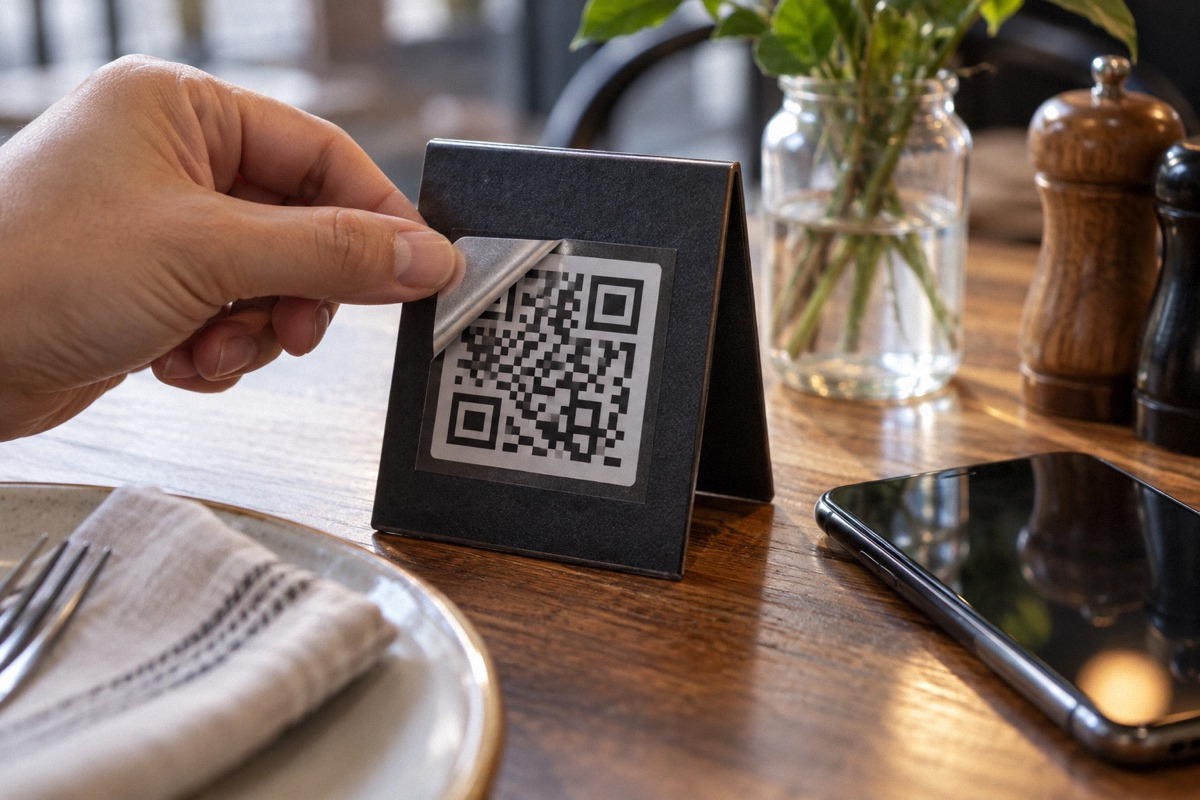
A fake sticker over your table code can send guests to a look-alike payment page, and one early sign can be a guest insisting they paid while the check shows open. The FBI and FTC both warn about codes covered by stickers. Reduce exposure by keeping payment links off permanent table stickers where possible, printing codes into menus or fixtures, pointing every code at your own short domain printed underneath, securing the QR account, scanning every code at opening, and telling guests what your real link looks like. If you find tampering, preserve evidence and report it.
The risk owners raise, and what federal agencies warn
In a forum post promoting QR code menus for restaurants, one commenter laid out the scenario that worries owners: someone replaces the table codes, guests land on a page that looks like your menu, enter their card to pay, and the money and card details go to the impostor. The guest has to cancel their card and blames the restaurant. The commenter also asked how long it would take staff to notice. In another thread, Pay by QR code, an owner said they allow QR payment only for long-time customers on local deliveries, and one reply said they would walk out of any restaurant that required a QR code to order or pay. Both records are search excerpts; neither reports a confirmed incident at a specific restaurant.
Federal agencies describe the same technique in other settings. The FBI's Internet Crime Complaint Center issued a public service announcement on 18 January 2022, Cybercriminals Tampering with QR Codes to Steal Victim Funds, warning that physical codes can be tampered with using a sticker placed on top of the original, and advising people to check that the URL is the intended site and to enter a known, trusted URL to complete a payment. The Federal Trade Commission's consumer alert of 6 December 2023, Scammers hide harmful links in QR codes to steal your information, describes scammers covering QR codes on parking meters with their own and advises inspecting the URL before opening a code found in an unexpected place. Neither is a restaurant-specific rule, but both describe exactly the weakness a table code has.
Where the weak points are
A QR code is just a printed web address. Anyone who can place a different code where guests expect yours can redirect them, and a phone camera shows only a brief preview of the address before opening it. Permanent stickers on tables, menus, walls and windows are the easiest to cover because they sit in public view for long periods, often in places staff do not look closely. A code that only shows a menu exposes guests to a phishing page or a malicious download; a code that takes payment is the higher-value target.
There is a second, digital weak point. Many QR services issue dynamic codes that point first to the vendor's server and then redirect to your page. That lets you change the destination without reprinting, but it also means whoever controls the account controls every code you have printed. A lapsed subscription, a former employee's login, or a compromised password can repoint or disable them. Owners rarely think of the QR generator account as a payment-security asset, but if your codes lead to payment, it is one.
Decide what each code is allowed to do
The strongest control is limiting what a permanent code can reach. A table code that opens a menu is a lower-stakes target than one that collects card details. If you offer pay-at-table, consider methods where the payment link is generated for that check at that moment: printed on the receipt by the POS or shown on a server-carried device. A code printed fresh on each check is far harder to swap in advance than a sticker that sits on a table for months. Whatever you choose, keep a staff-operated card payment option available so no guest is forced to use a link.
| Code type | Exposure if tampered | Practical controls |
|---|---|---|
| Permanent table sticker, menu only | Phishing page or unwanted download | Branded domain under the code, daily scan, tamper-evident mounting |
| Permanent table sticker, order and pay | Card details and payments diverted | Avoid if possible; otherwise all controls plus close payment reconciliation |
| Code printed on each receipt by the POS | Low; swapping requires access to the check | Confirm the printed domain matches your payment provider |
| Code on a server-held device | Low; staff control the device | Lock devices and secure their accounts |
| Code on windows, posters or flyers | Phishing page; often unattended | Inspect regularly; avoid payment links in public-facing signage |
Physical placement that makes tampering obvious
Make a fake hard to blend in. Print codes into the menu itself, etch or print them on the table surface, or mount them under clear acrylic so a sticker on top sits visibly proud of the surface. Tamper-evident labels that leave a visible pattern when peeled can help, though they do not stop an overlay applied on top. Frame each code with your logo and the printed short address so a plain replacement looks out of place. Keep the number of codes small and their positions consistent: if every table has exactly one code in the same corner, staff spot an extra one quickly.
Record what is supposed to be there. A simple map with a photo of each code location gives the opening manager something to compare against, and makes it obvious when a code appears on a wall, window or restroom mirror where you never put one.
Your own domain, printed where guests can read it
Point every code to a short address on a domain you own, such as your restaurant's website, and print that address in plain text under the code. Guests can then compare the preview their camera shows with what is printed, which is the URL check both the FBI and FTC recommend. Your web host can forward that address to the menu or ordering vendor, so you can change vendors without reprinting and keep one familiar domain in front of guests.
Treat the accounts behind the codes as financial accounts. Use a business email you control, not a staff member's personal address, enable multi-factor authentication on the domain registrar, the QR service and the ordering vendor, set the domain to auto-renew, and remove access promptly when people leave. Keep a record of each code's destination so you can confirm it has not been changed.
- One short, readable address on your own domain, printed under every code
- Domain, QR service and ordering accounts on a business email with multi-factor authentication
- Domain and QR subscriptions set to auto-renew, with renewal dates on the calendar
- Access removed the day a manager or contractor leaves
- Written list of every code, its location and its intended destination
A daily table audit that takes minutes
Add a code check to the opening checklist. The opener walks the room with a work phone, looks at each code for raised edges, bubbles or a mismatched print, scans it, and confirms the destination matches your domain before closing the browser. They also look for codes that should not be there. Anything wrong is removed, photographed and reported to the manager before service.
As a hypothetical sizing example, a dining room with 40 codes at about 15 seconds each takes 600 seconds, or 10 minutes, a day. Rotating which sections get the full scan on busy mornings, with a visual check of the rest, keeps the time manageable while still catching most changes within a day.
Hypothetical worked example: when guests say they paid but the checks are open
This scenario is hypothetical. On a Friday night, three tables in one section tell their server they paid by scanning the table code, but the POS shows all three checks open, totaling $214.50. One guest shows a payment confirmation screen whose web address differs from the restaurant's domain by a single character. That combination is the clearest early signal of diverted payments, and it is why open-check disputes should be escalated rather than argued at the table.
The manager removes and bags the codes from that section without destroying them, photographs them in place first if possible, and checks every other code in the building. Staff switch the section to server-run card payments for the rest of the night. The manager asks the affected guests, politely, to contact their card issuers, and explains they appear to have been sent to a page the restaurant does not control. The owner then decides how to handle the open checks, reports the incident to the FBI's IC3 and local police, and tells the payment and ordering vendors. Nobody is accused without evidence; staff note what was seen and when, and the owner reviews camera footage with police if appropriate.
Telling guests what a real link looks like
A short note on the table card helps guests protect themselves: our codes only open the address printed here; we will never ask you to pay through a texted or emailed link; if anything looks different, ask your server. Train servers to offer card payment without being asked and to take questions about codes seriously. Guests who are wary of QR codes for any reason should never feel they have to use one.
Keep the audit log, the code map, account access records and any incident reports. They show what controls were in place, and they are what processors, insurers or police will ask for if something does happen.
Questions that come up next
How do I know if someone put a fake QR code on my restaurant tables?
Look for codes with raised edges or a different print, codes in places you never put one, and scans that open a web address other than your own domain. Guests saying they paid by QR while their checks show open is a strong warning sign. Scan every code at opening, compare against a photo map, and report confirmed tampering to the FBI's IC3 and local police.
Is it safe to let guests pay by scanning a code on the table?
It carries more risk than a menu-only code because a permanent code can be covered with a fake. If you offer it, prefer codes generated per check on the receipt or a server-held device, print your own domain under the code, scan codes daily, and always offer staff-run card payment. FBI guidance advises confirming the URL before paying.
Sources & context
Forum accounts are unverified experiences. Read government sources for their stated jurisdiction and check requirements with the responsible authority for your location.
- Create a QR code menu for your restaurant in 3 easy steps (different solutions compared) (r/restaurantowners)reddit · Search excerpt of a promotional post. A commenter describes a hypothetical swapped-code payment scenario; no specific incident is reported. Used to frame the risk only.
- Pay by QR code (r/restaurantowners)reddit · Search excerpt. An owner limits QR payment to trusted long-time delivery customers; one reply says they would leave a restaurant that required QR to order or pay. Opinions, not data.
- Cybercriminals Tampering with QR Codes to Steal Victim Funds | FBI IC3 PSA, Jan. 18, 2022government · US federal (FBI). Fetched 2026-10-03. Describes sticker overlays on physical codes and advises URL checks and entering a known URL to pay. General guidance, not restaurant-specific.
- Scammers hide harmful links in QR codes to steal your information | FTC Consumer Alert, Dec. 6, 2023government · US federal (FTC). Fetched 2026-10-03. Describes codes covered on parking meters and advises inspecting URLs. Consumer guidance, not a rule for businesses.


